


AI infrastructure planning is not a hardware shopping exercise. It is the process of matching compute, data, storage, networking, facilities, software, and security controls to a specific business workload. An AI-powered solution can deliver far more value when the environment around it is designed for how people will actually use it.
The fastest accelerator is not automatically the right choice. A system can have expensive GPUs and still perform poorly when data loads slowly, memory runs short, cooling cannot sustain the workload, or teams lack tools to monitor utilization. The practical goal is reliable performance at a cost and at a scale the organization can support.
Why AI Infrastructure Planning Matters
AI workloads behave differently from conventional business applications. Training, fine-tuning, image analysis, simulation, and large-scale inference can keep processors, storage, and networks busy for long periods. Planning the whole system prevents costly bottlenecks, idle capacity, missed response-time targets, and rushed facility upgrades later.
Define The Workload Before Choosing Hardware
Start with the job, not the server specification. Training usually needs sustained compute, substantial GPU memory, rapid data access, and room for checkpoints. Inference may need predictable response times, high availability, and enough capacity to handle concurrent requests. Analytics, computer vision, robotics, and language applications each place a different emphasis on throughput, latency, location, and data handling.
Questions To Answer First
- Will the environment train models, run models, or support both activities?
- How large are the datasets, model files, prompts, outputs, and retained logs?
- Is a low-latency response essential, or can processing run in batches?
- How many users, applications, devices, or customers will use the system?
- Are regulated, confidential, or location-sensitive records involved?
A medical imaging workflow may prioritize secure batch processing near clinical data. A customer support assistant may instead prioritize steady low-latency inference and resilient application access. Those are different infrastructure problems, even if both use similar models.
The Core Components Of An AI System
An AI-ready environment is a connected operating system, not a collection of isolated parts. CPUs manage operating-system tasks, data preparation, orchestration, and general services. GPUs or other accelerators handle highly parallel calculations. System memory holds active processes, while storage retains datasets, checkpoints, models, logs, and backups.
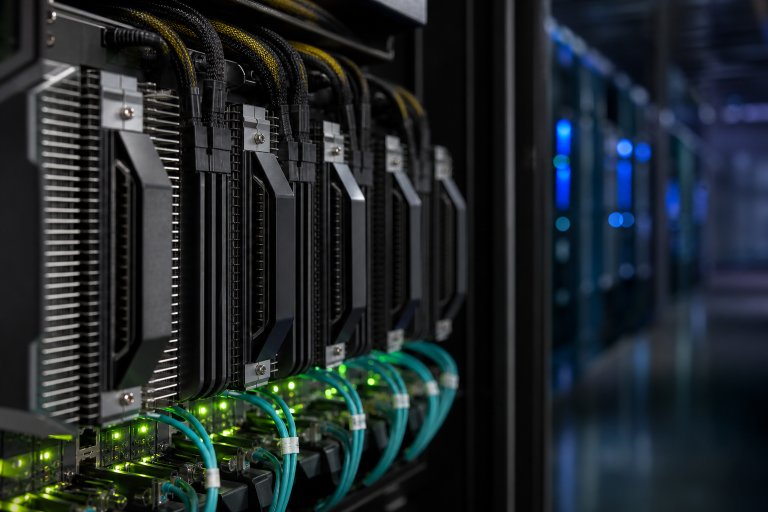
Networking moves data among users, servers, accelerators, and storage. Power and cooling keep dense equipment stable under sustained demand. The software layer includes drivers, frameworks, containers, schedulers, identity controls, monitoring, patching, and recovery tools. Weakness in any one layer can limit the rest.
How To Think About GPU Capacity
Choose GPU capacity based first on memory requirements and workload behavior. A model must fit alongside its active batch, supporting processes, and overhead. More GPUs can shorten training or serve more inference traffic, but additional accelerators also introduce cost, heat, scheduling complexity, and a greater need for fast interconnects.
- Memory: Confirm that models, batches, and runtime overhead fit comfortably.
- Throughput: Measure training speed, tokens per second, images per second, or another workload-specific result.
- Software support: Verify that frameworks and applications can efficiently use multiple GPUs.
- Utilization: Track whether accelerators are actively processing work or waiting for data.
- Expansion: Reserve a realistic path for added capacity rather than overbuying on day one.
Storage, Data Movement, And Model Access
Storage is frequently the hidden constraint. Training jobs may repeatedly read large files, write checkpoints, and generate logs simultaneously. Fast local or shared flash storage is often appropriate for active datasets and temporary work, while larger capacity tiers can hold archives, raw records, backups, and older model versions. Understanding NVMe storage helps teams distinguish fast active-data storage from long-term capacity planning.
Measure how long a full run takes to load and prepare data. If expensive accelerators sit idle during those steps, improving the data pipeline, file layout, cache strategy, or storage throughput may deliver more value than adding another GPU.
Networking For Multi-GPU Workloads
Networking becomes critical when workloads span multiple servers or rely on shared storage. Distributed jobs exchange parameters and data frequently. Plan bandwidth from compute to storage, east-west traffic between nodes, network interface capacity, switch design, cable paths, congestion controls, and failure recovery. A powerful accelerator cannot reach its expected performance if the network cannot supply it.
Power And Cooling Requirements
Power and cooling are core design inputs. Estimate electrical draw under full workload, not only at idle. Confirm that circuits, rack capacity, backup power, room layout, and maintenance access can support the design. Dense accelerator systems may exceed practical air-cooling limits, making liquid-assisted approaches worth evaluating. Energy use should be included in the operating-cost model from the beginning.
Edge, On-Premises, Cloud, Or Hybrid Deployment
- Edge: Useful for local decisions, privacy-sensitive data, and low-latency processing, but constrained by space, power, and serviceability.
- On-premises: Suits steady demand, direct control, and data residency needs, but requires capital planning and operational expertise.
- Cloud: Helps with variable demand, experiments, and rapid access to capacity, but usage costs and data movement require discipline.
- Hybrid: Supports mixed requirements by keeping sensitive or time-critical work local while using remote capacity for bursts.
Place each workload where its data sensitivity, latency target, utilization pattern, compliance needs, and total cost make the most sense.
Security, Privacy, And Governance
Protect the full AI workflow, including source data, training files, model weights, APIs, prompts, outputs, logs, and backups. Use role-based access, encryption in transit and at rest, isolated development and production environments, dependency scanning, and auditable administrative changes. Teams can use the risk management framework as a practical reference for connecting technical controls with ongoing model oversight.
Governance continues after deployment. Monitor quality, drift, access patterns, costs, failure rates, and retention policies as data and user behavior change.
A Practical Scaling Plan
- Choose one measurable use case with a clear success metric.
- Benchmark a small environment for speed, memory use, storage behavior, and cost.
- Record utilization, queue time, data transfer rates, errors, and failed jobs.
- Remove the actual bottleneck before purchasing more compute.
- Add capacity in stages and automate deployment, monitoring, patching, and recovery.
Common Planning Mistakes
- Buying hardware before defining the workload.
- Counting GPUs while ignoring available GPU memory.
- Underestimating data preparation and storage throughput.
- Ignoring power, cooling, rack space, and noise constraints.
- Measuring only model accuracy instead of latency, reliability, utilization, and operating cost.
- Building a theoretical future model rather than the present business need.
AI Infrastructure Planning Checklist
- Defined workload, users, success metric, and response-time target
- Estimated dataset, model, memory, storage, and network requirements
- Validated power, cooling, security, backup, and recovery capacity
- Selected a deployment location based on practical workload needs
- Created monitoring, governance, expansion, and replacement plans
- Estimated total cost across the expected service life
Conclusion
Successful AI infrastructure begins with disciplined planning. The best design is not necessarily the largest or newest. It is the system that delivers the required speed, reliability, and privacy, while providing room to grow and avoiding unnecessary waste.

